Chief Concierge: Sneak Peek
Dear Chief,
We will perform a server restart on UTC 08/17/2026. You may experience a brief disconnection lasting 2 to 3 minutes during this time. If disconnected, please try reconnecting.
[New Content]
1. New “Fire Crystal Age” Expansion:
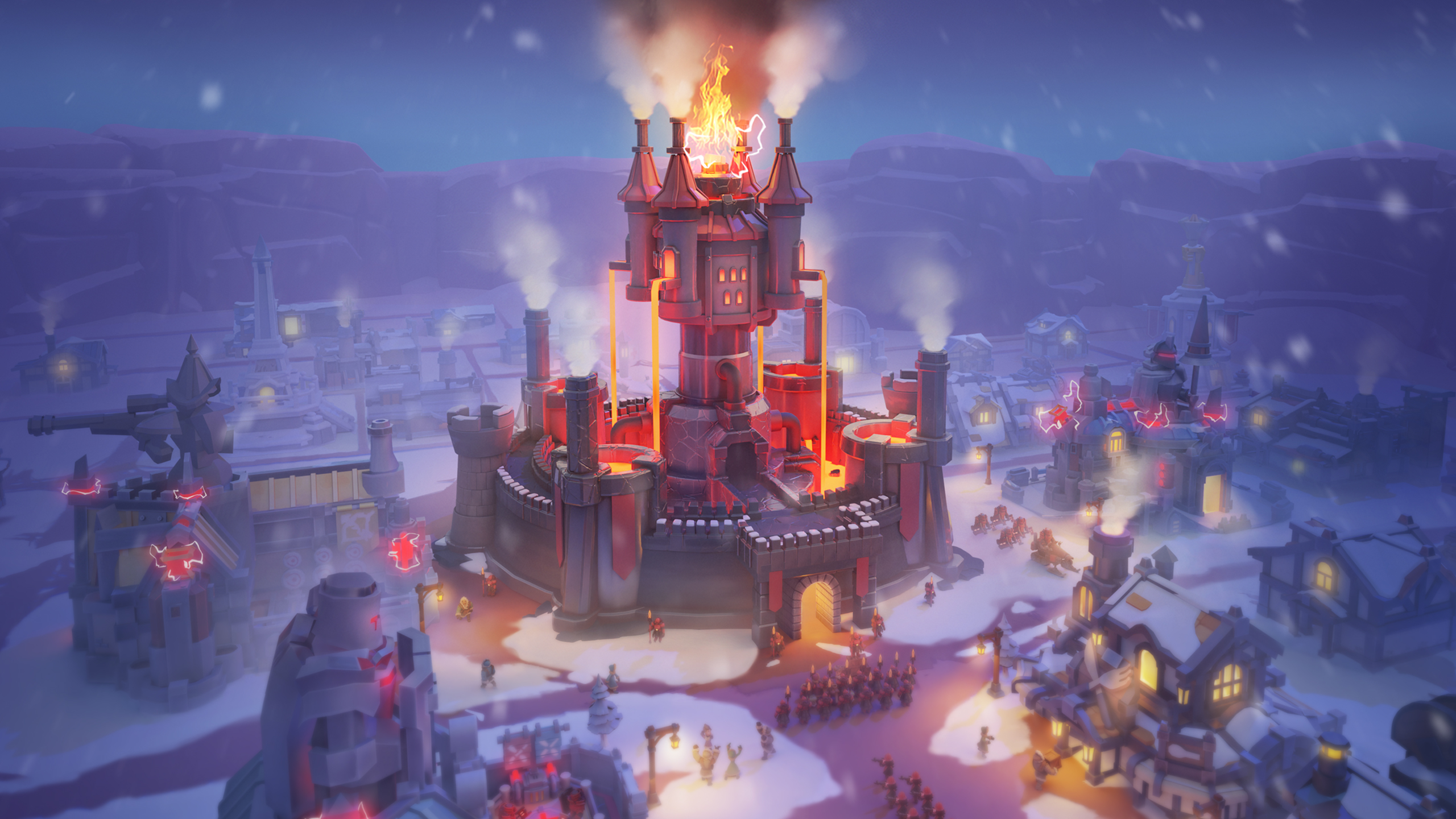
Winter will one day be lit by fire! Once the Furnace reaches Fire Crystal Lv. 1, your City will officially enter the “Fire Crystal Age”.
In this new age, survivors are gradually overcoming the threats of bitter cold and death. Complete Survivor Profiles give every survivor in the City a unique identity.
As life becomes more stable, survivors begin to hope for better housing, food, healthcare, work, and entertainment. The old Mailbox will be transformed into the “Wish Station”, where survivors can share their hopes for a better future.
As the Furnace Level increases and prerequisite Wishes are completed, more Wishes will become available. Completing Wishes rewards Chiefs with “Wish Sigils”, which can be exchanged in the “Wish Shop” for exclusive materials used to construct future entertainment Buildings.
At the same time, the Chief Order feature will enter a new phase alongside city development. Some old Chief Orders will be removed after entering the Fire Crystal Age, and new Chief Orders such as “Crunch Time”, “Advanced Training”, and “Dawn Alliance Commendation” will be added to provide new support for resource production, soldier training, and city development.
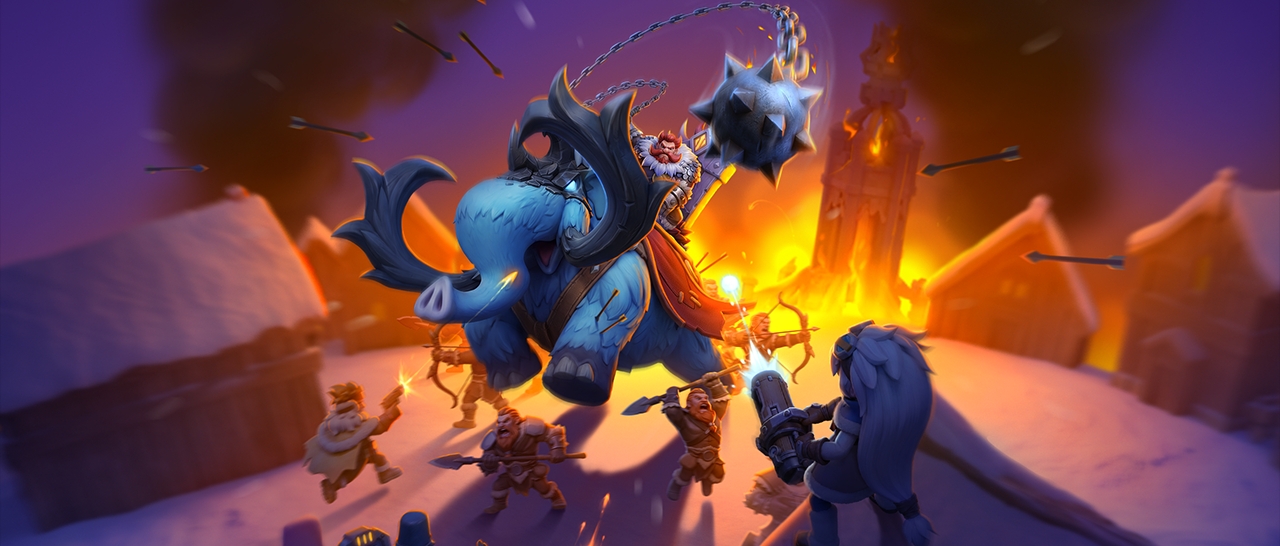
2. New “Endless Trials” Gameplay: Wulfgar, the barbarian chieftain known as the “Windhowler” from the far north, is about to appear on the tundra! After the event begins, eligible Chiefs can head to the Wilderness after 00:30 (UTC) each day to challenge the “Windhowler”. Each Chief can launch up to 30 solo attacks per day; rallies cannot be initiated. The system will calculate daily rankings based on each Chief’s highest single-instance damage that day. The event includes daily participation rewards, daily leaderboard rewards, and achievement rewards to help Chiefs keep pushing the limits of the trial.
3. New Value Events:
(1) Introducing “Hero Ascension Training”. Chiefs can earn event points by ascending the corresponding heroes during the event. Reach the specified point targets to collect rewards for each tier. Unlock “Battle Stars” to earn even greater rewards.
(2) Introducing “Exclusive Gear Forge”. Chiefs can earn event points by developing the Exclusive Gear of the corresponding heroes during the event. Reach the specified point targets to collect rewards for each tier. Unlock “Champion Forge” to earn even greater rewards.
Reminder:
After the update, “Hero Ascension Training” and “Exclusive Gear Forge” events for the current hero generation will be opened or reopened in sequence based on each Chief’s state progress. Please refer to the in-game display for the actual opening times and event details.
[Optimizations & Adjustments]
1. Overview Feature Optimization: A new “Daily” tab will be added to the in-game Overview panel on the left. Chiefs can use this tab to view the progress, remaining attempts, and claimable status of daily content such as the Arena, Treks, The Labyrinth, Crystal Laboratory, Hero Recruit, Alliance Contribution, Lighthouse, Online Rewards, Expert Skills, Alliance Activity Triumph, and more, making it easier to plan daily tasks efficiently.
2. Chief Gear and Charm Level Cap Increase: In States where the state progress has already unlocked Gen 6 heroes, Legendary T6 Chief Gear (3-Star) will officially become available. Once the State progress unlocks Gen 8 heroes, Lv. 17 and Lv. 18 Chief Charms will be added, with 9 sub-stages per level. Chiefs can further improve their Gear and Charm quality to obtain even greater Power.
3. Hero Gear Optimization: Once Gear Mastery reaches Lv. 4 or above, Mastery upgrades will change from full-level upgrades to sub-stage upgrades, while the total cost of Mastery Forging will remain unchanged. When performing Mastery Forging, Chiefs can use the progress bar to easily track their progress toward the next level.
4. Chat Feature Optimization: The maximum number of members in a chat group will be increased to 200, allowing more Chiefs to join the same group for communication.
5. Expert Optimizations:
(1) New Expert List: A new Expert List will be added to the Dawn Academy. Chiefs can view all unlocked Experts and quickly switch to their respective interfaces. Newly unlocked Experts will appear at the end of the list.
(2) When a new Expert is unlocked, the Expert Building in the Inner City will display a bubble with an icon to notify. Upon entering the Dawn Academy, Chiefs will also see a prompt introducing the new Expert, making it easier to keep track of newly unlocked Experts.
(3) Improved the placement of the “Cancel” button for Cancel Learning. While an Expert Skill is being learned, the button will appear next to the progress bar, making it easier for Chiefs to find and use.
(4) When Romulus’s skill “Call of War” is active, tapping the troop camps will first claim the troops granted by the skill. Tap on the camps again to claim troops from the completed Training, making it easier for Chiefs to manage troop training for upcoming events.
6. VIP Feature Optimizations:
(1) The Login Rewards icon in the VIP interface has been changed from a chest to a calendar. Chiefs can view their sign-in streak and daily VIP XP rewards in the calendar. After logging in for 14 consecutive days, the “Sign-in Streak Freeze” feature will unlock. If your login streak is broken, Freeze will automatically activate the following day. During the Freeze period, Chiefs can spend Gems to restore and continue their login streak.
(2) VIP XP items will be used automatically after being obtained.
Note:
This optimization only applies to VIP XP items newly obtained after the update. VIP XP items already stored in the Backpack before the update will not be used automatically.
7. Resource Gathering Optimization: When tapping a gatherable resource node, the remaining duration of a “City Gathering Bonus” will now be displayed if the bonus is active, making it easier for Chiefs to track its remaining time.
8. Daybreak Island Optimizations:
(1) Added the new Decoration, “Light of the Night”, to bring more beauty and depth to your Daybreak Island.
(2) Optimized the Build interface memory function. During a login session, the Build interface will remember the last viewed category and scroll position after being closed. When reopened, it will return to the same location, making it easier for Chiefs to continue decorating their home.
(3) Improved the “Obtain more” interface for decoration and accessory. It now displays your current quantity and the amount required for upgrading. Once you’ve obtained enough materials through Custom Skin Chests or General Shards, you can return to the upgrade interface more conveniently.
(4) Added Daybreak Island-related notifications. When the Tree of Life, Lumber Camp, or Timbermill reaches its storage limit, Chiefs will receive a reminder to claim their resources. These notifications can be enabled or disabled in Settings.
9. Collection Gallery Optimization: Added display settings for Medallions and the Collection Gallery. Chiefs can choose between “Show All”, “Show Medallions”, and “Hide All”, allowing them to control whether other Chiefs can view their Medallions and Collections.
10. Reaction Emote Optimization: Added three new scenarios: defense victory, defense defeat, and allied garrison. Chiefs can react with their set Action Emotes in these scenarios.
11. Tundra Albums Optimization: Added unlocked entrances at the bottom of the Album Missions details page. Chiefs can switch between different Album Missions by swiping left or right. Themes with claimable rewards will also display a notification, making it easier to claim rewards.
12. Fortress Battle Optimization:
(1) Improved reward distribution, event notifications, and leaderboard displays. After the event begins, the event entrance will display a more prominent notification. Alliance members can more easily view Fortress Battle status and rankings, making it easier for Alliances to organize participation and distribute rewards.
(2) Added a search function to the reward distribution page. Chiefs can quickly find specific members by Chief ID or Chief Name.
(3) When an Alliance management member cancels the Fortress Battle registration, the action will be recorded in the Alliance Log.
13. Alliance War Optimization: When Infirmary capacity exceeds 90%, Auto-Join Rally cannot be enabled. If Auto-Join Rally is already active, it will stop automatically, and a mail notification will be sent to remind Chiefs to check on their Injured troops.
14. Foundry Battle and Tundra Arms League Optimizations:
(1) Added Reward Summary Displays: In Foundry Battle, Chiefs can now view the Alliance and Personal Rewards earned for the current week. In Tundra Arms League, Chiefs can view the Legion and Personal Rewards earned during the current round.
(2) Foundry Battle Optimization: After selecting a battle time slot during registration, an estimated battle time will be displayed, making it easier to plan ahead.
(3) Tundra Arms League Optimization: Added event descriptions for the Elimination and Championship stages to the Schedule interface, making it easier for Chiefs to understand each stage’s schedule.
15. Icefire Warhymn League Optimizations:
(1) Added a formation switch button to the Registration and Squad Config pages.
(2) After presetting a formation during registration, if your current Squad Power exceeds that of the saved formation, a notification will appear on the formation screen to remind Chiefs to update their formation.
16. Alliance Championship Optimizations:
(1) Improved the Power score calculation to better reflect Chiefs’ actual combat performance.
(2) Pet Skills now activate automatically when squads are deployed, eliminating the need for manual activation. Bonuses are calculated based on the Pet Skill levels at the time of deployment.
17. President Feature Optimizations:
(1) President Skill Optimization: Scheduled President and Supreme President Skills can now be canceled. The President or Supreme President can cancel scheduled Skills from the scheduling pop-up, making it easier to adjust Skill usage as the State situation changes.
(2) Position Reservation Optimization: Improved the “Auto Approve” settings interface for a more intuitive display of information.
18. Dreamscape Memory Optimizations:
(1) Added “Express Mode”. When the Dreamscape Memory event reaches season 5 in the Chief’s state and “Recall Road” reaches Lv. 10 or above, Chiefs can switch to Express Mode before a chapter opens. By consuming “Dream Fishbits” and “Dreambells”, they can instantly complete the current chapter, claim its rewards, and earn “Dream Sojourner” points as usual.
(2) Added an item exchange feature. After “Express Mode” is unlocked, Chiefs can access the exchange interface from the event main screen to exchange “Dream Fishbits” for “Dreambells”.
19. Hero Recruit Optimization: After the Hero Recruit pool is updated, the first time Chiefs enter the Recruit interface, a pop-up will introduce the newly added Heroes. The Recruit Preview will also display upcoming Heroes that will be added to the pool, and Gen 3+ Hero portraits will now include generation markers, making it easier for Chiefs to keep track of upcoming pool updates.
20. Bear Hunt Optimization: Scheduled “Hunting Trap” activations will no longer be canceled if the member who scheduled them leaves the Alliance. Alliance Log entries will also be improved to make scheduled activation records clearer.
21. Lighthouse Optimization: Added the “Intel Ops” mission. When the newbie Shield expires, eligible Chiefs will receive a special mission at the Lighthouse. Through “Intel Ops”, they can learn how to respond by activating a Shield, teleporting their City, requesting Alliance reinforcements, and more, helping them prepare for potential threats after the protection period ends.
22. The Labyrinth Optimizations:
(1) Fixed an issue where enemy Hero Skills did not function correctly in certain stages of “Land of Heroes” and “Gaia Heart”.
(2) Improved the stage difficulty curve for a smoother progression between stages.
(3) Added 50 new challenge stages to “Gaia Heart”.
23. Spectral Ice Shack Optimization: Added “Label Mode”. Chiefs can switch display modes during stages to more easily distinguish colors using jam jars with fruit labels. Improved the visual presentation of select stages.
24. Mia’s Fortune Hut Optimization: Added a reset confirmation pop-up to prevent accidental actions.
25. State Transfer Optimization: Added a display of the states available for transfer during the current phase to the state list. States that are temporarily unavailable for transfer will also display a notification, making it easier for Chiefs to see which states they can transfer to.
26. Shield Item Optimization: Added the new “12-Hour Shield”, available through City Bonuses and the Alliance Shop after the update.
27. Backpack Statistics Optimization: Added a Gems counter to the “Resource & Speedup Summary”, making it easier for Chiefs to view their total Gems.
28. Flame and Fangs Optimization: Added “1h Learning Speedup” as a new exchange item.
29. Frostdragon Tyrant Optimization: “Charm Secrets” exchanges in the “Dragonborn’s Truck” will now be available only in states that have unlocked Fire Crystal 8.
30. Gem Shop Optimization: Improved the interface and updated some descriptions in the “Gem Shop” within the Top-up Center.
31. Customer Support Optimization: Improved parts of the Customer Support interface (Contact Us) and overall user experience. Please refer to the in-game content for details.

To provide you with a better gaming experience, we will be upgrading our servers on UTC 08/17/2026 from 02:00 to 04:00. During this time, the following features may be affected:
1. Alliance Championship and Alliance Mobilization will not be functional.
2. The Labyrinth, Arena Battle, Raiding others’ truck in Tundra Trade Route and Battle in the wilderness might experience defeats or missing report.
3. Cross-State Personal Ranking may display incorrectly.
4. The top-up feature may experience payment issues, we recommend you to try again later.
5. Chat may be unstable.
We strongly recommend you to avoid participating in the mentioned features and experience them again after the server upgrade.
Thank you for your understanding and support!
Whiteout Survival Team

Gift Code
WOS0815

Please redeem this code in the Gift Code Center.
Valid Until: 2026-08-17 23:59:00(UTC)
Requirement: Furnace Level ≥ 9
Chief Concierge Exclusive Gift
VIP0815

Please redeem this code in the Gift Code Center.
Valid Until: 2026-08-17 23:59:00(UTC)
Requirement: Must meet Chief Concierge service standards
Gift Code Center: https://wos-giftcode.centurygame.com/